FeedKeeper: a YouTube feed filter that works by category
Why we built FeedKeeper, a Chrome extension that hides the kinds of YouTube videos you choose from your home feed and Up next, and how its three modes work.

Soumen Samanta · Co-Founder & CEO
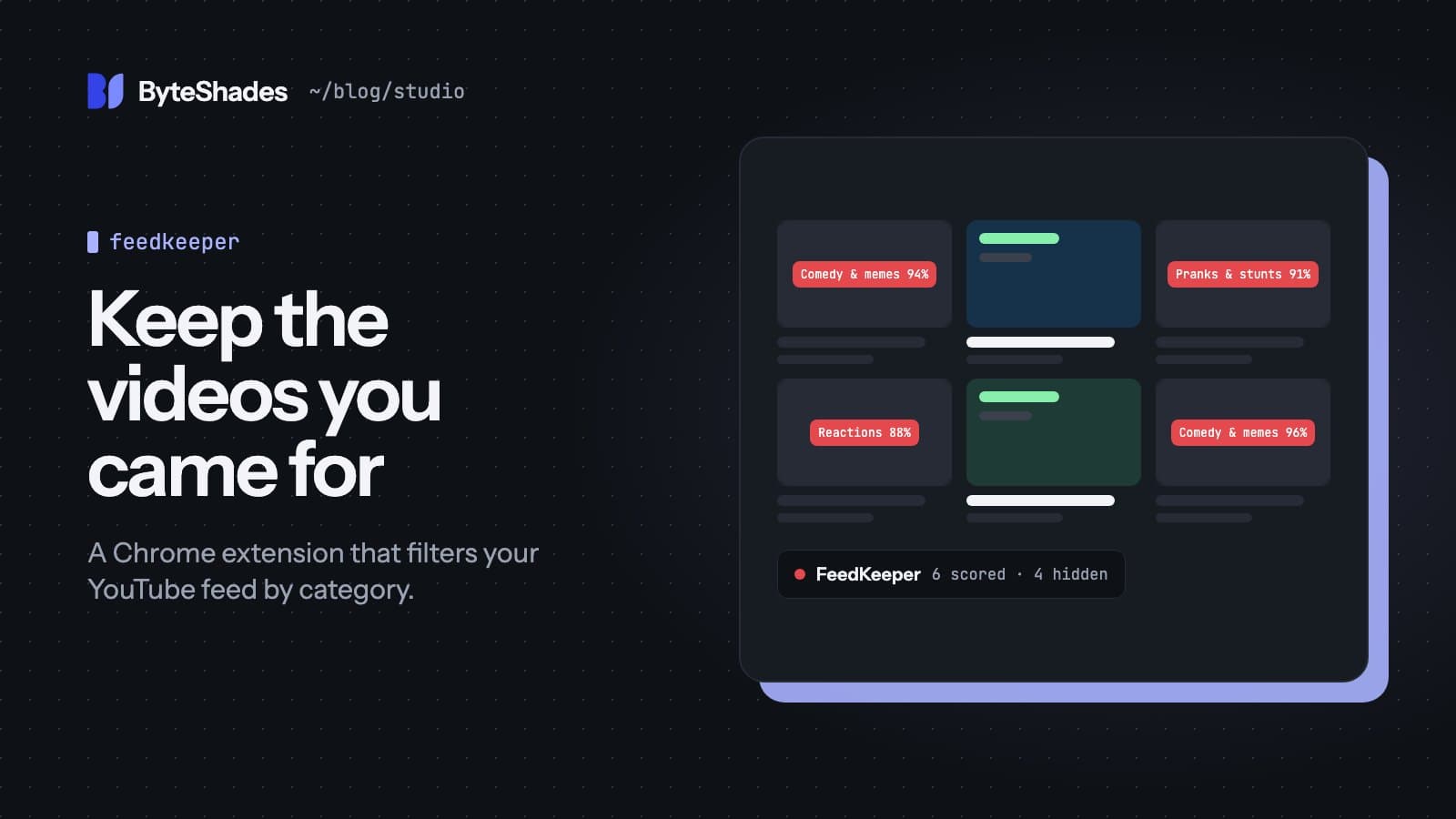
A lot of us open YouTube to learn something: a lecture, a conference talk, a tutorial, the news. The home feed is very good at offering something else instead, such as a prank, a reaction video or a compilation. FeedKeeper is a Chrome extension that removes the kinds of videos you choose from the home feed and the Up next sidebar, so the feed shows more of what you came for.
FeedKeeper is in beta. Its Chrome Web Store listing is in progress.
Filtering by category, not by keyword
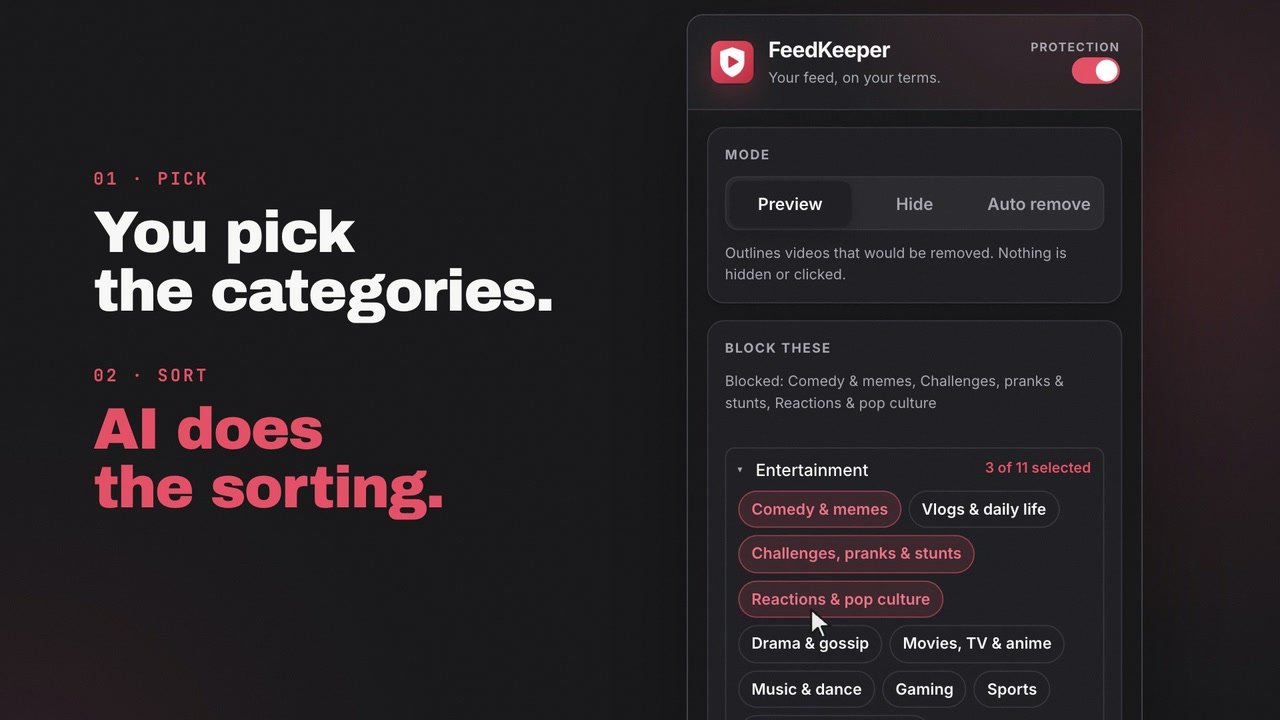
Keyword blockers break quickly: a prank video rarely has "prank" in its title. FeedKeeper sorts videos into categories instead. It has 21 built-in categories, such as comedy and memes, challenges and pranks, or reactions and pop culture. If none of them fits, you can add your own with a one-line definition.
To decide, it reads more than the title. It also looks at the channel name, the description, the chapters and the tags, and it strips sponsor text first so that an ad read does not change the result.
Three modes
You choose how firmly FeedKeeper acts.
Preview
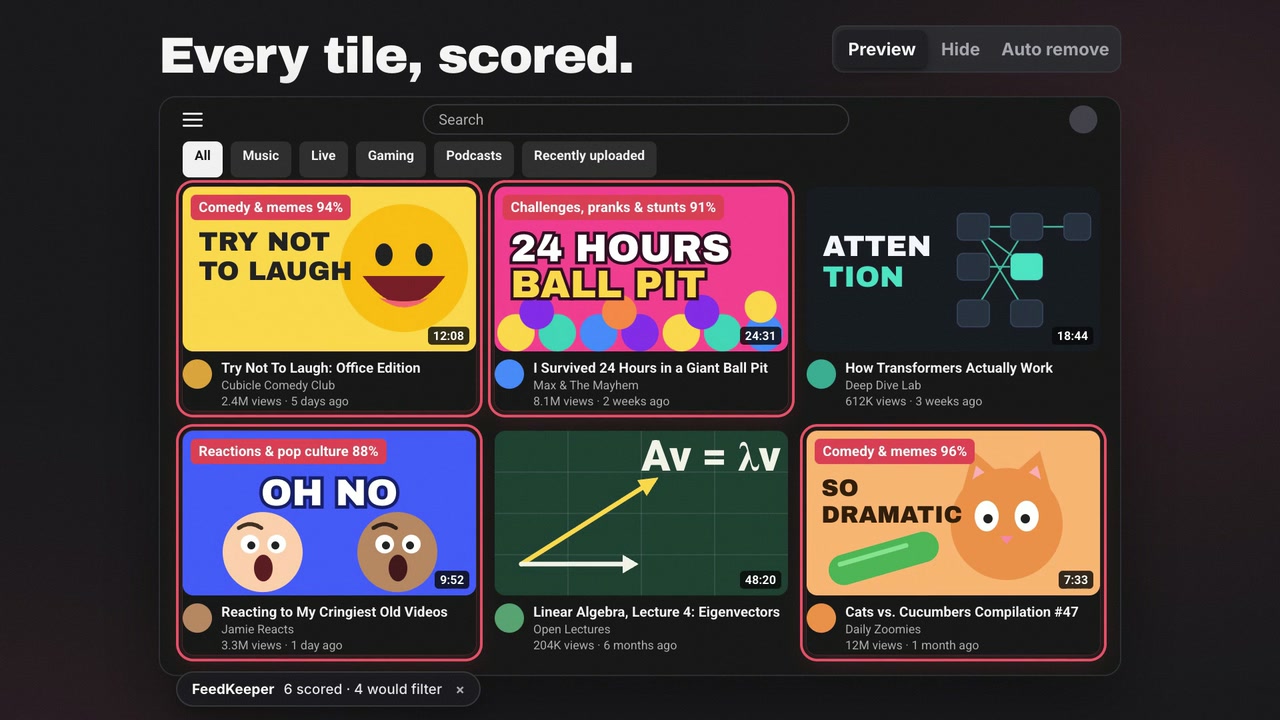
Matching videos get a red outline and a badge with the category and its score. Nothing is hidden. This is the mode to start with: you can check FeedKeeper's decisions against your own feed before trusting it.
Hide
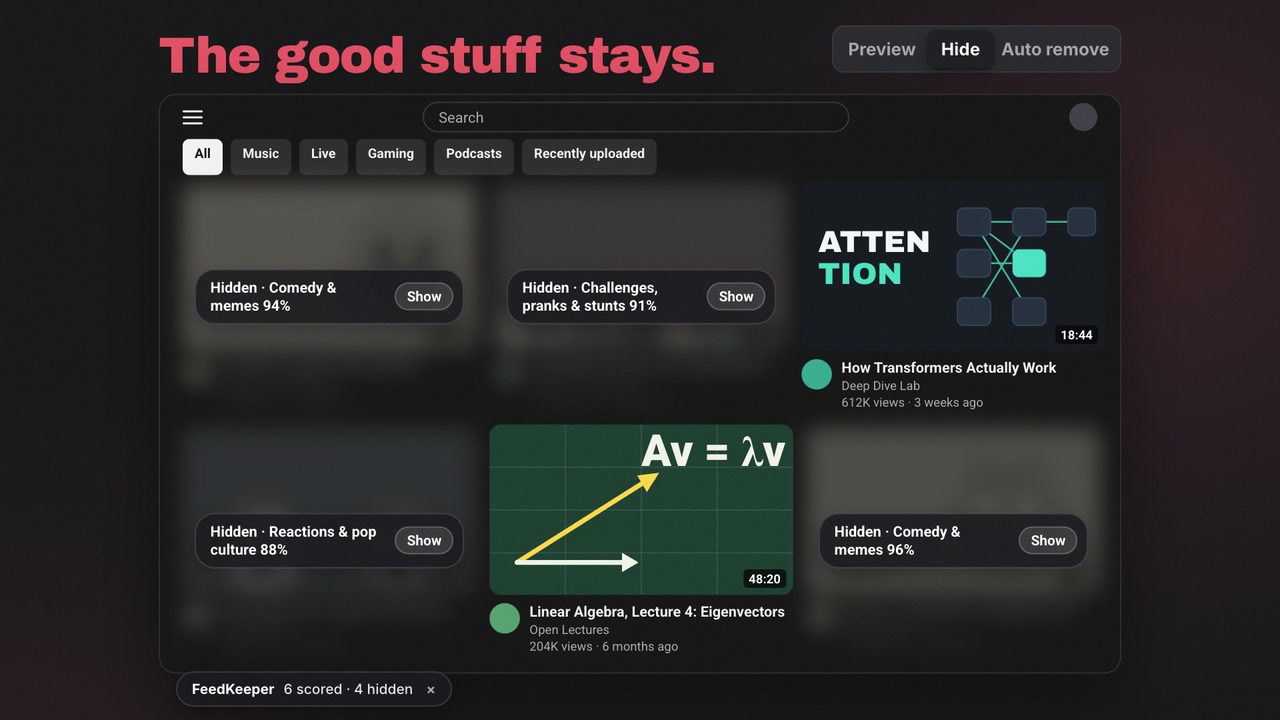
Matching videos are blurred, with a Show button in case you want to see one anyway.
Auto remove
FeedKeeper clicks YouTube's own Not interested menu item on matching videos, the same button you would click yourself. It waits 1.5 to 4 seconds between clicks and does at most 20 a minute.
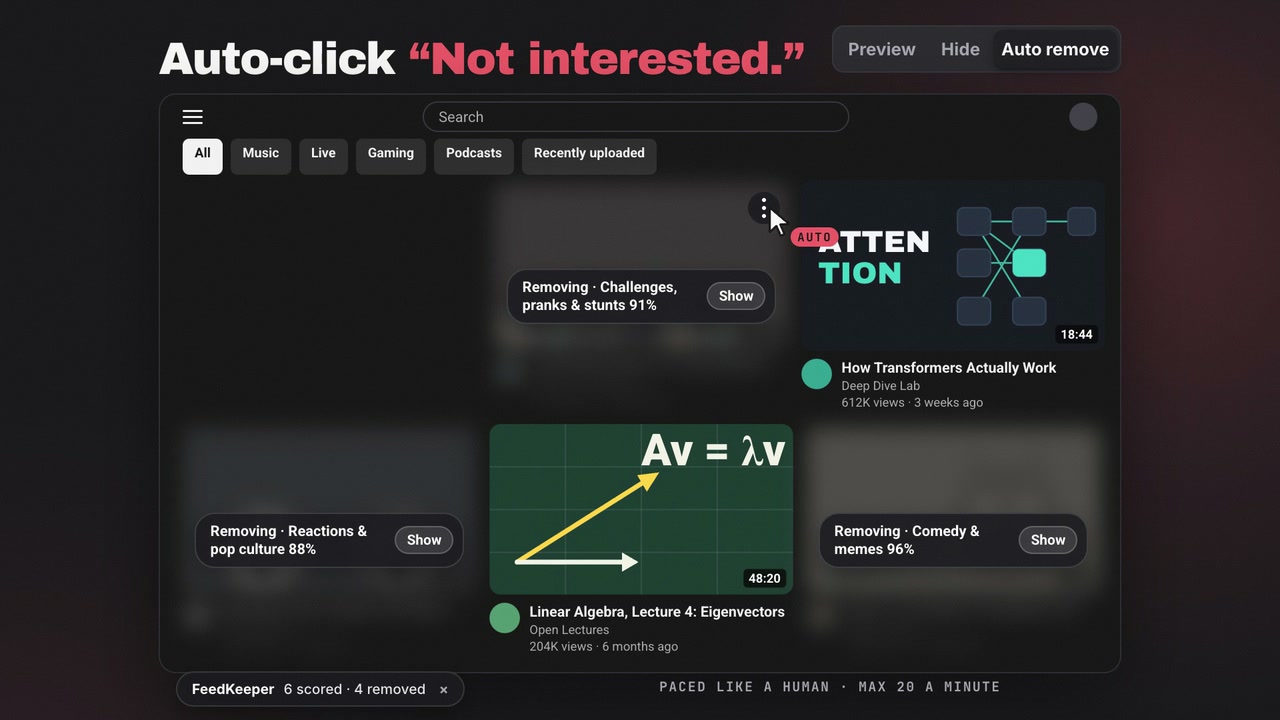
Preview and Hide never click anything on the page.
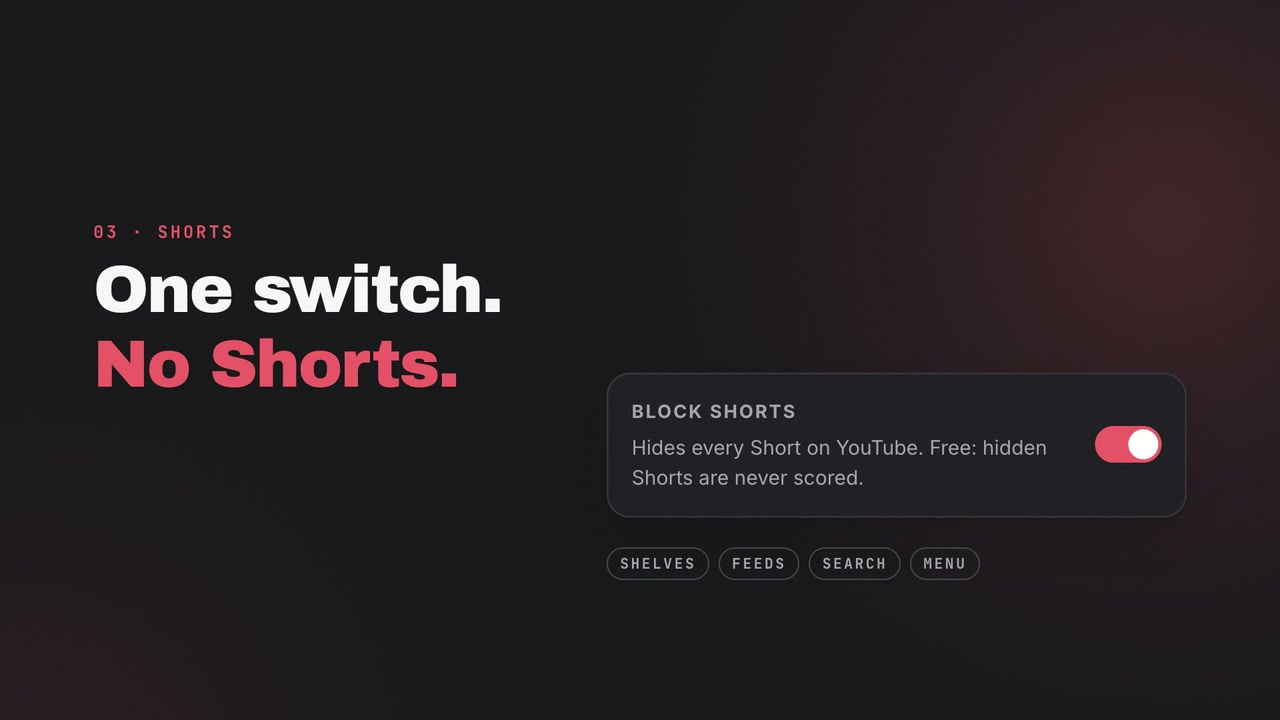
Block Shorts
One switch hides every Short on YouTube. It works without any AI calls, so it costs nothing. Since version 1.1.0, Shorts are not sent to the AI at all.
When it gets one wrong
Hover any video and choose Why? to see how it scored in each category. If the decision was wrong, you can correct it there.
What it costs
FeedKeeper is free with your own OpenRouter API key. You pay OpenRouter directly, and $1 of credit covers roughly 100,000 videos in Hide mode. Version 1.1.0 cut the cost of a scan by about half. We plan a paid subscription for people who would rather not bring a key.
What it sends, and what it does not
For each video it has not seen before, FeedKeeper sends the title, the channel name and, unless you turn it off, the description and tags to OpenRouter with your key. Results are cached, so a video is only sent once.
Nothing about you is sent: no watch history, no account name, no cookies. FeedKeeper has no server of its own and no analytics, and your API key stays in the extension.
Where it stands
FeedKeeper went from its first public release to 1.1.0 in four days:
| Version | Date | What changed |
|---|---|---|
| 0.1.0 | 27 Sep 2026 | First public release: home-feed videos sorted into 19 categories, with preview, hide and remove |
| 0.2.0 | 28 Sep 2026 | Allow-only mode, the per-video Why? view, filter profiles and focus sessions |
| 0.3.0 | 29 Sep 2026 | Block Shorts |
| 1.0.0 | 29 Sep 2026 | First stable release, with Up next filtering and custom categories |
| 1.1.0 | 30 Sep 2026 | Scans cost about half as much and decide more videos correctly |
FeedKeeper is made by ByteShades and is not affiliated with or endorsed by YouTube or Google. The FeedKeeper page has the full feature list and the FAQ.
- #feedkeeper
- #youtube
- #chrome-extension
- #ai
Written by Soumen Samanta · Co-Founder & CEO, ByteShades
Full-stack developer who builds web apps and APIs with React, Next.js, Node.js, PostgreSQL and AWS.
LinkedIn