How byteshades.com is built
How the ByteShades website is built: Next.js 16 with Cache Components, one interface for product data, small JavaScript islands and pages made for search.

Souvik Samanta · Co-Founder & CTO
This website is the front door of the studio, so we held it to the same rules as our products: it should be fast, it should say plainly what we make, and it should not need rewriting when things change behind it. This post walks through how it is put together.
The stack
| Layer | Choice |
|---|---|
| Framework | Next.js 16, App Router, with Cache Components switched on |
| UI | React 19, server components by default |
| Language | TypeScript in strict mode |
| Styling | Tailwind CSS 4, mapped onto our brand kit's design tokens |
| Data validation | zod |
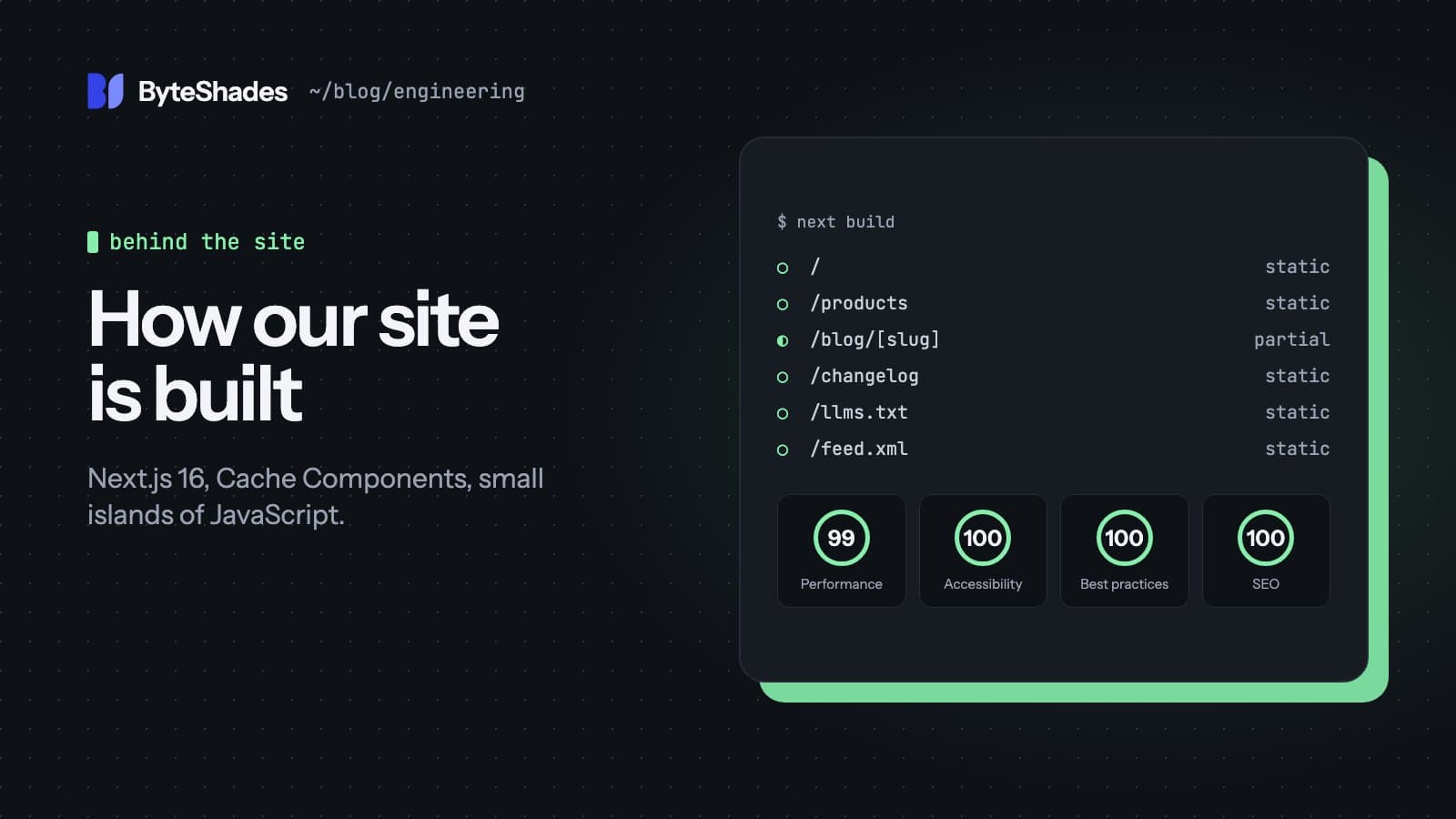
Every page is generated ahead of time. Nothing on the site depends on JavaScript to show its content: the products, prices, release notes and this post are all in the HTML the server sends.
One interface for product data
Today, each product is a JSON file in the repository. Later, a backend will publish them. We did not want pages to care which, so every read goes through one small interface:
export interface ProductSource {
  list(opts?: { includeDrafts?: boolean }): Promise<Product[]>;
  get(slug: string): Promise<Product | null>;
  releases(limit?: number): Promise<Release[]>;
}
There are two implementations: one reads content/products/*.json, the other calls the API. An environment
variable picks one. Both validate every product with the same zod schema, so a typo fails the build with
the file name and the field instead of shipping a broken page. A test checks that both sources return the
same products, and a build against a mock API produced the same HTML as the build from files.
Posts like this one work the same way: Markdown files with front matter today, the same fields from an API later.
Static pages that can still change
With Cache Components, data functions declare how long their result may be reused:
export async function getProducts() {
  "use cache";
  cacheLife("hours");
  cacheTag("products");
  return getProductSource().list();
}
Pages built from this are static, refreshed at most hourly, and the products tag lets the future backend
expire them on demand. After publishing, it calls one webhook and the next visitor sees the change, with no
redeploy.
Small islands of JavaScript
The interactive parts are separate client components, each with one job:
- the terminal in the hero, which answers commands such as
status,openandwhoamifrom real data; - the ⌘K command palette;
- the product filter, which hides server-rendered cards and keeps the choice in the URL;
- the dotted background, a canvas that reacts to the pointer and pauses when it is off-screen.
Each one renders something useful on the server first. If JavaScript is off, you still get the terminal's output, every product and a static dot grid. With reduced motion turned on, nothing animates.
The theme switch
Switching between light and dark uses the View Transitions API: the new theme grows out of the button you clicked as a circle.
const transition = document.startViewTransition(applyTheme);
transition.ready.then(() =>
  document.documentElement.animate(
    { clipPath: [`circle(0px at ${x}px ${y}px)`, `circle(${radius}px at ${x}px ${y}px)`] },
    { duration: 560, pseudoElement: "::view-transition-new(root)" },
  ),
);
Browsers without the API, and visitors who prefer reduced motion, get an instant switch.
Written for search engines and assistants
People increasingly find software by asking an assistant, so the site describes itself in ways machines read well:
- structured data (JSON-LD) for the organisation, its founders, each product and every FAQ;
/llms.txtand/llms-full.txt, plain-text summaries generated from the same data as the pages;- an RSS feed of releases and one for this blog;
- a
robots.txtthat explicitly allows the main AI crawlers.
Because all of it is generated from one set of data, the page, the structured data and the summaries cannot drift apart.
What we could not hit
We set ourselves a budget of 90 KB of JavaScript on first load. React and the Next.js router alone come to roughly 139 KB compressed before any of our own code, so that number was never reachable with this framework. We kept our own islands small instead and measured the result: Lighthouse scores the homepage 99 for performance and 100 for accessibility, best practices and SEO.
We will write more about the individual products the same way: what they do, how they are built, and the trade-offs we made.
- #nextjs
- #react
- #performance
- #seo
- #web
Written by Souvik Samanta · Co-Founder & CTO, ByteShades
Software developer who builds LLM-powered web, Android and backend apps, with a background in NLP.
LinkedIn