Installing Claude Code skills and MCP servers safely: a checklist
Agent skills and MCP servers run with your permissions. Real incidents, what to check before you install one, and how to limit what it can reach.

Souvik Samanta · Co-Founder & CTO
Every week brings a new skill or MCP server that promises to make your coding agent better at something. Installing one takes a single command, which makes it easy to forget what it is: code and instructions that run on your computer, with your files, your shell and your logged-in accounts within reach. Anthropic's own advice is to treat installing a skill like installing software, and to use skills only from sources you trust.
This post is the checklist we use, with the incidents that explain why each step is there.
A two-minute primer
A skill is a folder with a SKILL.md file of instructions, sometimes with scripts and other files.
Claude Code loads it from ~/.claude/skills/ (all your projects) or .claude/skills/ (one project).
A malicious skill can tell the agent to run commands or send data somewhere, and in Claude Code a skill
has the same network access as any other program on your computer.
An MCP server gives the agent new tools, such as access to GitHub, email or a database. A local one
is a program on your machine started by a command, often npx something; a remote one is a web service.
Either way, it acts with whatever access you have given it.
What has gone wrong so far
- A fake email server (September 2025). An npm package copying Postmark's MCP server added one line in version 1.0.16 that silently BCC'd every email it sent to the attacker. It had 1,643 downloads before it was found and removed.
- Prompt injection through GitHub (May 2025). Invariant Labs showed that a malicious issue in a public repository could make an agent using the official GitHub MCP server copy data from a private repository into a public pull request. The server had no bug; the agent followed instructions written in the issue.
- Remote code execution in mcp-remote (July 2025). CVE-2025-6514, rated 9.6 out of 10: a malicious remote server could make this popular helper run commands on your machine. It is fixed in 0.1.16.
- 341 malicious skills (February 2026). Koi Security audited 2,857 skills on ClawHub, the OpenClaw skills marketplace, and found 341 malicious ones. Most used a fake "prerequisites" step to install password-stealing malware on Macs.
- One skill in eight with a critical flaw. Snyk scanned 3,984 skills, from ClawHub plus the top hundred on skills.sh, and found critical issues in 13.4% of them; 76 were confirmed malicious.
ClawHub is a different ecosystem from Claude Code, but skills work the same way everywhere, so the lesson carries over.
Before you install a skill
- Read every file it ships, not only
SKILL.md. Scripts, templates and reference files can all carry instructions. Anthropic's checklist says to look specifically for unexpected network calls and file access. - Check the
allowed-toolsline in its front matter. It lets the skill use the listed tools without asking you while it runs. A writing skill has no reason to grant itself shell access. - Look for shell commands in the instructions. Skills can run commands with a
!`command`syntax. If you never want that, set"disableSkillShellExecution": truein your Claude Code settings. - Be wary of skills that fetch things. A skill that downloads instructions or code from a URL can change after you reviewed it. Anthropic singles these out as particularly risky.
- Don't skip the confirmation. Some installers and helper skills use a
-yflag that installs without asking. Vercel's popular find-skills skill, the most-installed skill on skills.sh, suggests installing with-g -y. Drop the-yand read first. - Don't trust stars. Star counts and install numbers can be inflated. Look at who publishes the skill, how old the repository is, and whether issues get real answers.
- Copy, don't subscribe. A skill copied into your folder stays as you reviewed it. One installed from a source that updates automatically becomes whatever is published next.
As an example, when we added the humanizer writing skill to our setup this week, we downloaded its
SKILL.md, read all 400 lines, confirmed the repository's other files were not needed, and copied that
one file into ~/.claude/skills/humanizer/ by hand.
Before you connect an MCP server
- See the exact command. The MCP specification says a one-click install must show the full command it will run, untruncated, and ask for approval. If a tool hides it, find it in the docs.
- Prefer official servers and pin versions. Copycat packages of real servers exist, as the fake
Postmark server showed.
npx package@latestruns whatever was published most recently, every time. - Know where it is configured. In Claude Code, servers can be local to you, saved to your user
settings, or committed to a project in
.mcp.json. Interactive sessions ask before using a project's servers, butclaude -pand the Agent SDK load them without asking, so be careful running those in a repository you just cloned. - Give it the fewest tools you can. Claude Code permission rules can allow or deny a whole server
(
mcp__github) or one tool (mcp__github__create_pull_request). Allow read-only tools freely and keep approval on anything that writes, sends or deletes. - Check the server's own permission model. Zapier's MCP is a good example: new servers start in "agentic" mode, where the agent can find and switch on new actions by itself across every app you have connected. Switch to "managed" mode to fix the list of tools yourself.
- Read what "restricted" means. Desktop Commander, a popular server that gives chat clients terminal and file access, says in its own security notes that its directory limits are guardrails and "not a security sandbox": terminal commands can reach outside them. It recommends Docker or a virtual machine if you need real isolation.
- Remember that content is instructions too. Any server that reads web pages, issues or emails can bring prompt injection with it. The GitHub attack above needed nothing more.
Running code you don't trust
If a skill or server needs to run code you have not reviewed, run it somewhere that cannot reach your real files and accounts: a container, a virtual machine, or a cloud development environment. For teams building products that run AI-generated code for their users, purpose-built sandboxes such as Tencent's open-source Cube Sandbox start an isolated virtual machine for each task.
It also works in the other direction. Cloudflare published a free security-audit skill that turns a coding agent into a structured code reviewer, and one of its rules is worth borrowing generally: the agent that checks a finding is never the agent that found it. Cloudflare notes that a single run found roughly half of the vulnerabilities that repeated runs did, so treat it as a reviewer, not a certificate.
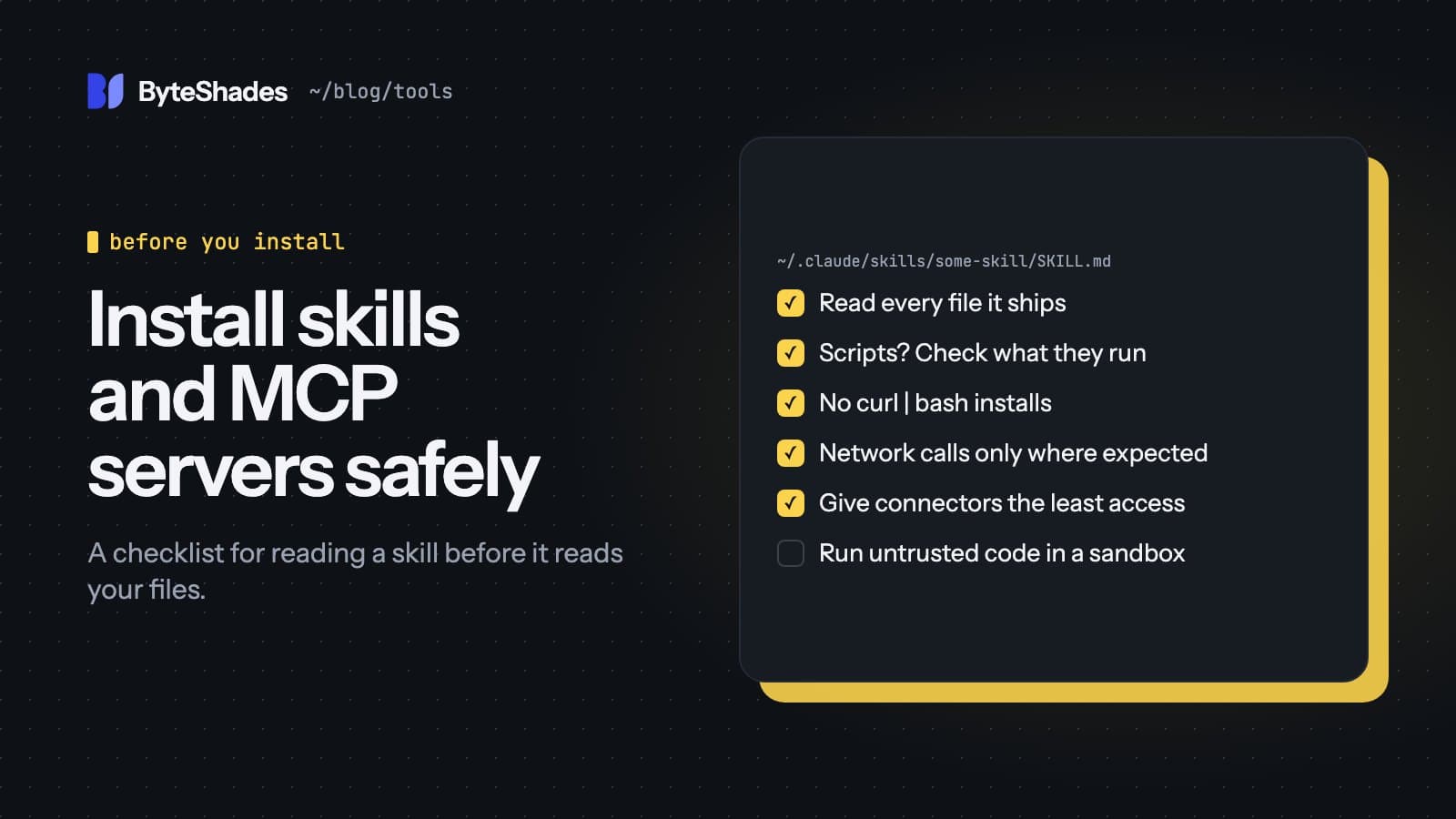
The checklist
Copy this into your team's notes:
- I read every file in the skill or the server's install docs.
- I know the exact command that will run, and the version is pinned.
- No
curl | bash, no-y, no instructions fetched from a URL at run time. -
allowed-toolsand shell commands in the skill make sense for what it does. - The server gets the fewest tools and folders it needs; writes need my approval.
- Anything that reads untrusted content can't also send data out without asking.
- Untrusted code runs in a container or virtual machine, not on my laptop.
Sources
- Agent Skills overview and security considerations (Claude docs) platform.claude.com
- Skills in Claude Code (Claude Code docs) code.claude.com
- MCP in Claude Code (Claude Code docs) code.claude.com
- Claude Code security (Claude Code docs) code.claude.com
- MCP specification: security best practices modelcontextprotocol.io
- The Hacker News: first malicious MCP server found (postmark-mcp) thehackernews.com
- Invariant Labs: GitHub MCP prompt injection invariantlabs.ai
- JFrog: CVE-2025-6514 in mcp-remote jfrog.com
- The Hacker News: 341 malicious ClawHub skills thehackernews.com
- Snyk: ToxicSkills study snyk.io
- Zapier MCP: how tools work docs.zapier.com
- Desktop Commander security notes github.com
- Cloudflare security-audit skill github.com
- #claude-code
- #mcp
- #agent-skills
- #security
- #ai-coding
Written by Souvik Samanta · Co-Founder & CTO, ByteShades
Software developer who builds LLM-powered web, Android and backend apps, with a background in NLP.
LinkedIn